




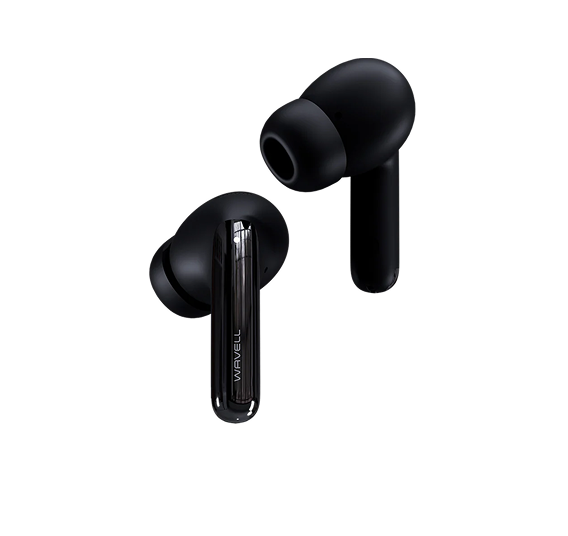







Wavell 4 Plus
Frequently Asked Questions
Thank you so much for using Wavell 4 Plus. Technology can sometimes be a bit tricky, but fortunately, these issues can usually be resolved quickly and easily.
How do I set up the Wavell 4 Plus for the first time?
- Place the earbuds in the case and open the lid.
- Take them out, and they'll usually go into mating mode.
- Find “Wavell 4 Plus” in the Bluetooth list on your phone or computer and tap “Connect.”
I can't connect—what should I do?
1. Make sure Bluetooth is turned on on your device.
2. “Forget” the Wavell 4 Plus from your Bluetooth list and try again.
3. If it's still giving you trouble: perform a restore (see the section “How do I restore the device?”)
How do I reset the Wavell 4 Plus?
- "Forget" the headphones in your device's Bluetooth settings.
- Place both earbuds in the case and open the lid.
- Use the restore function (typically via the function button on the case—see the manual for the exact procedure).
- Pair up again afterward.
Can I connect to two devices at the same time?
Yes, the Wavell 4 Plus supports multipoint. You can enable and control it through the Wavell Connect app. When multipoint is active, you can switch more seamlessly between, for example, your phone and computer.
How do I adjust the sound/EQ?
In Wavell Connect, you can choose sound profiles and create your own EQ. Tip: Start with a profile, then fine-tune it with small adjustments.
I can't find my manual
How do I use Sleep Mode?
Sleep Mode is activated in Wavell Connect and is designed for situations where you want to listen more quietly—for example, while relaxing or at bedtime.
What can I do if the touch function isn't working?
Try the following:
1. Make sure you're touching the correct touch area.
2. Keep your hands dry—damp hands can affect touch sensitivity.
3. Reset the headphones.
The sound has gotten quieter in one of the earbuds
This is often caused by dirt or earwax in the speaker. Clean it carefully (without pushing any sharp objects into it). If you have a cleaning tool, this is the perfect time to use it.